




















Pros
What owners love, in their own words.

How it works
A shopper on your product page asks to talk to someone who already bought it. A Real Customer answers on a live Video Meeting. The shopper decides, and you learn what buyers really think. Text and video messages are coming soon as a second way to ask. Here's the whole thing in five minutes.
Opening to ten founding stores. Free for the first 90 days.
See the four beats 04:12
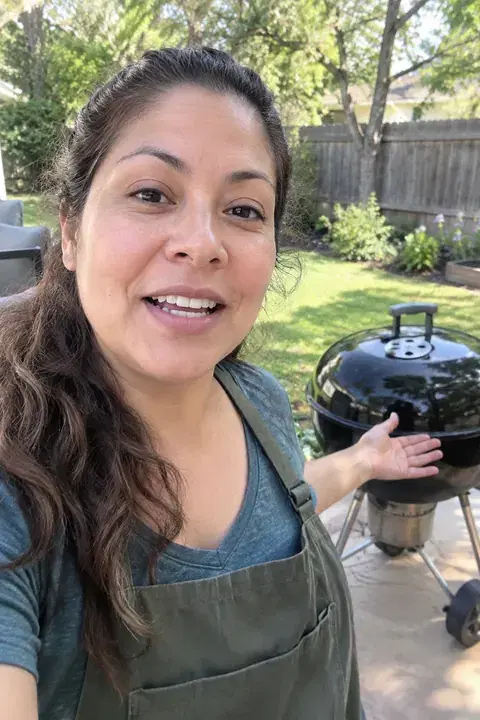 04:12
The loop
On your product page, a shopper taps Talk to a Real Customer and asks for a Video Meeting.
Someone who bought from you joins on live video and answers from their own experience.
They buy, or they don't. Either way they decided with real information from a real owner.
You get the recording and the takeaways: the pros, cons and questions from the call.
Illustration. The four beats light up one after another: a shopper taps the button, a Real Customer joins a live call, the shopper decides, and feedback chips appear. Chip text and percentages are sample data.
On your store
It sits next to Add to cart on your product page. A shopper taps it to ask for a Video Meeting about that product.
When a Real Customer is live on a Video Meeting about something in the same category, a small badge shows on the page. A shopper taps it and joins the session already in progress.
You turn both on in the Shopify theme editor. No code, and your theme stays yours.
Placements
Switch placements on without code. Three are live on Shopify today. The rest come with early access.
Next to Add to cart, on the product pages you choose.
Live on ShopifyA section on the product page that invites shoppers to talk.
Live on ShopifyShows when a Real Customer is live on a Video Meeting about something similar. Shoppers tap it to join the session already in progress.
Live on ShopifyA tab on the edge of every page that follows the shopper.
Coming soonA strip across the top of your site, on any page.
Coming soonA page we host for you. Share it by link or text, no website needed.
Coming soonFor trucks, yard signs and invoices. Scan it, talk to a past customer.
Coming soonWe'll show you the placements on a short call.
Book a demoDrawings are illustrations of each placement, not screenshots.
The Video Meeting
The shopper taps the button on the product page and asks for a Video Meeting about that product, now or at a time that suits them.
Purebrand looks for a Real Customer who owns that product and is free. They get the request in the Purebrand app and accept it.
Shopper and Real Customer meet on live video, one to one or in a live session where one Real Customer answers a whole room of shoppers. They can also trade text and video messages in a thread instead, which is coming soon. Either way, the Real Customer answers from their own experience, good and bad.
Video Meetings are recorded so the business can learn from them. Both people are told before the call starts, and the Real Customer's reward is disclosed on the call.
If the Real Customer can't make it, a backup Real Customer can be asked to step in. If the shopper doesn't show, the store can still pay the Real Customer for the time they set aside.
Who answers
Every Real Customer bought from the store they talk about. Each one is matched to an order and approved by the store before they take a Video Meeting.
After every call
Each Video Meeting turns into things you can act on. Pros, cons and questions are live today. Sentiment tracking is coming soon.
What owners love, in their own words.
What gets in the way, so you can fix it.
The exact questions buyers ask before they buy.
How each conversation felt, tracked over time.
Coming soon
Each finding goes straight to the team that owns it. A con about unclear instructions lands with product, a delivery question with support, a missing detail with whoever runs the website.
Two paths
The shopper picks how to talk. A live Video Meeting works today. Text and video messages are the second path: built, going into testing, and not live for stores yet.
Questions
People who bought from your store and agreed to talk with shoppers about it: on live video today, and by text and video message soon. Each one is matched to an order and approved by the store before they take a Video Meeting.
No. They're paid for their time, and what they're paid never depends on whether they say good or bad things. The reward is disclosed on the call.
The recording and the takeaways: the pros, cons and questions that came up, sorted by product. Sentiment tracking over time is coming soon.
Yes. In a one-to-many live session, one Real Customer goes live for as many shoppers as want to join, and a shopper can join a session already in progress from the Live now badge. Every shopper who joins is linked to that Real Customer.
Soon. Text and video messages are coming soon: the shopper types a question and a Real Customer answers in writing or with a short video message, in a thread they can keep adding to. It isn't live for stores yet. Video Meetings are live today.
Not yet. Shopify is live today, and other website builders are coming soon, with early access on the Platforms page.
Install the Purebrand app on Shopify, turn it on in the theme editor and invite customers who already bought from you. If you want to see it first, use Book a demo.
Opening to ten founding stores. Free for the first 90 days.